60 seconds, narrated. Or skip it and open one of the demos below.
Most agencies will show you a case study. We would rather show you the thing itself.
There are two demo dashboards live now. No sign-up, no sales call first, nothing to install. They are the same dashboard we run our own agency on, with an invented business in each — one service, one product — so you can see how the same tool behaves for two very different ways of making money.
Open the service demo → Open the product demo →
Start with the thing you look at first
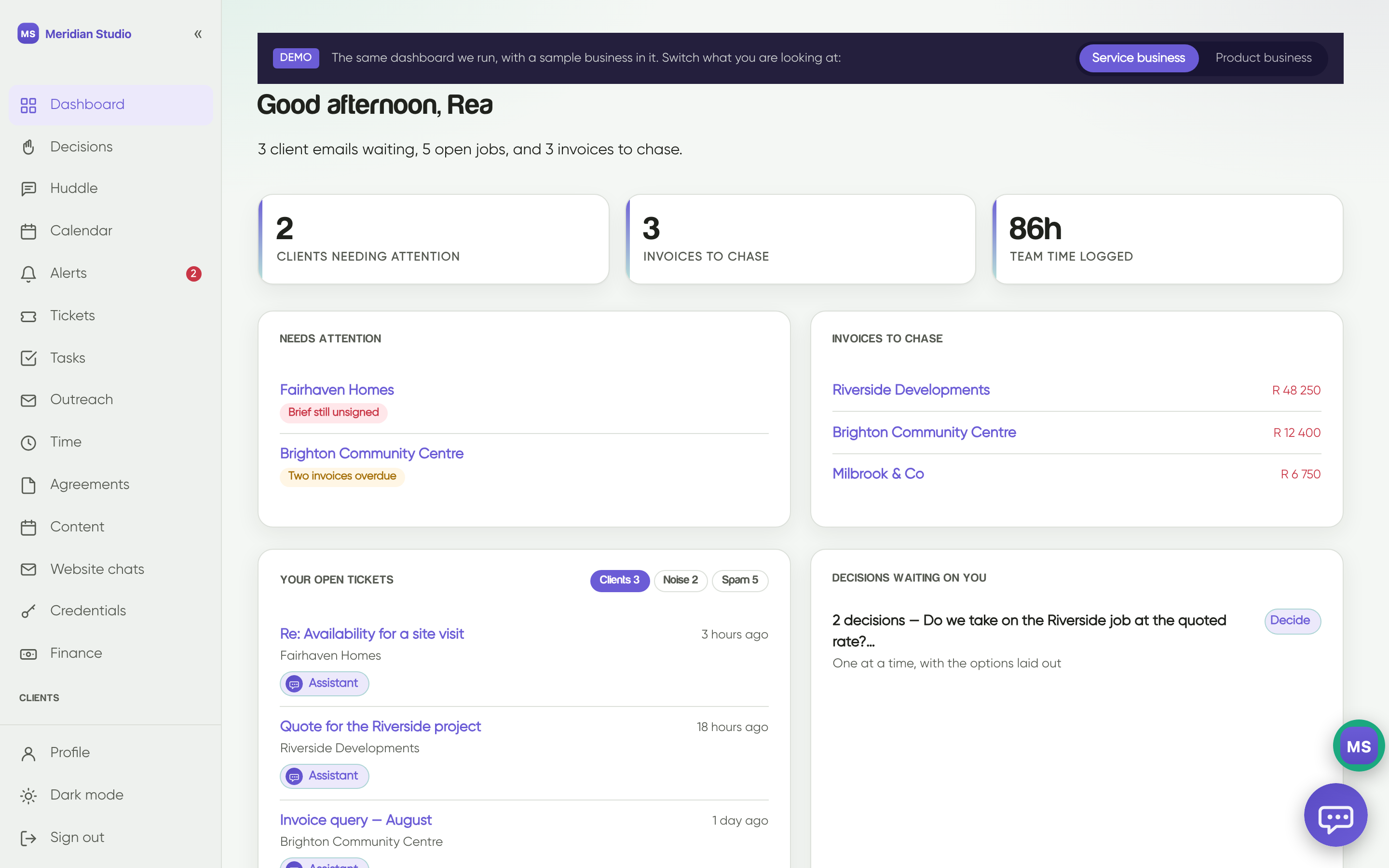
Both demos open on the same screen: what needs attention, what money is outstanding, what your team has actually logged, and the emails still waiting on a reply. It is deliberately the least interesting screen in the product. Its whole job is to be the only thing you need to open before your first coffee.
The two versions diverge immediately after that.
The service business
Meridian Studio in the demo is a design practice — but it stands in for anyone who sells time and expertise. A consultancy, a law firm, an architect, an agency.
- Tickets is your shared inbox, grouped by client rather than by thread, with the noise and the spam in their own lanes. Most service businesses lose more revenue to a forgotten reply than to a lost pitch.
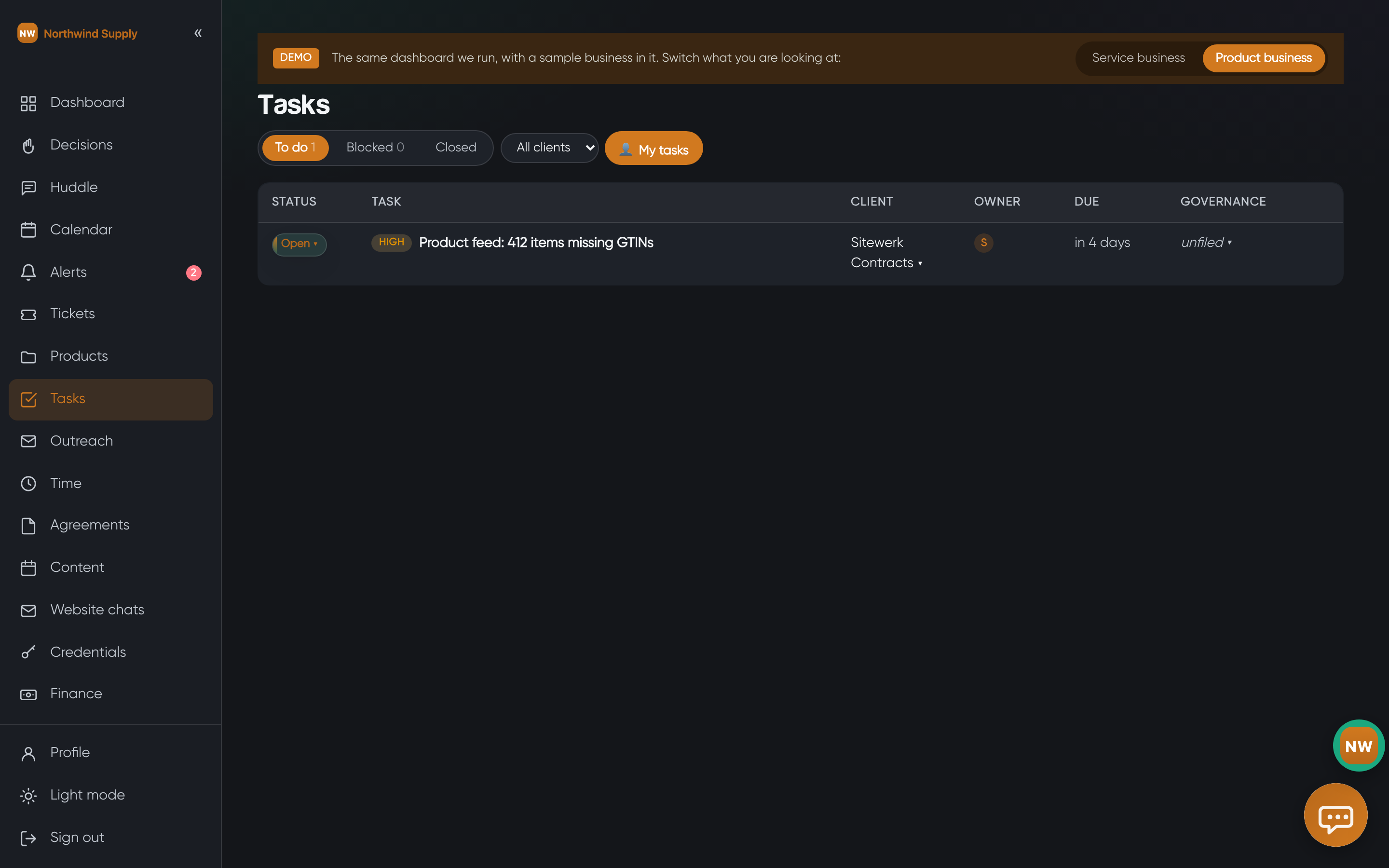
- Tasks is the work in flight, with the client attached to every row, and the hours estimated against the hours actually spent.
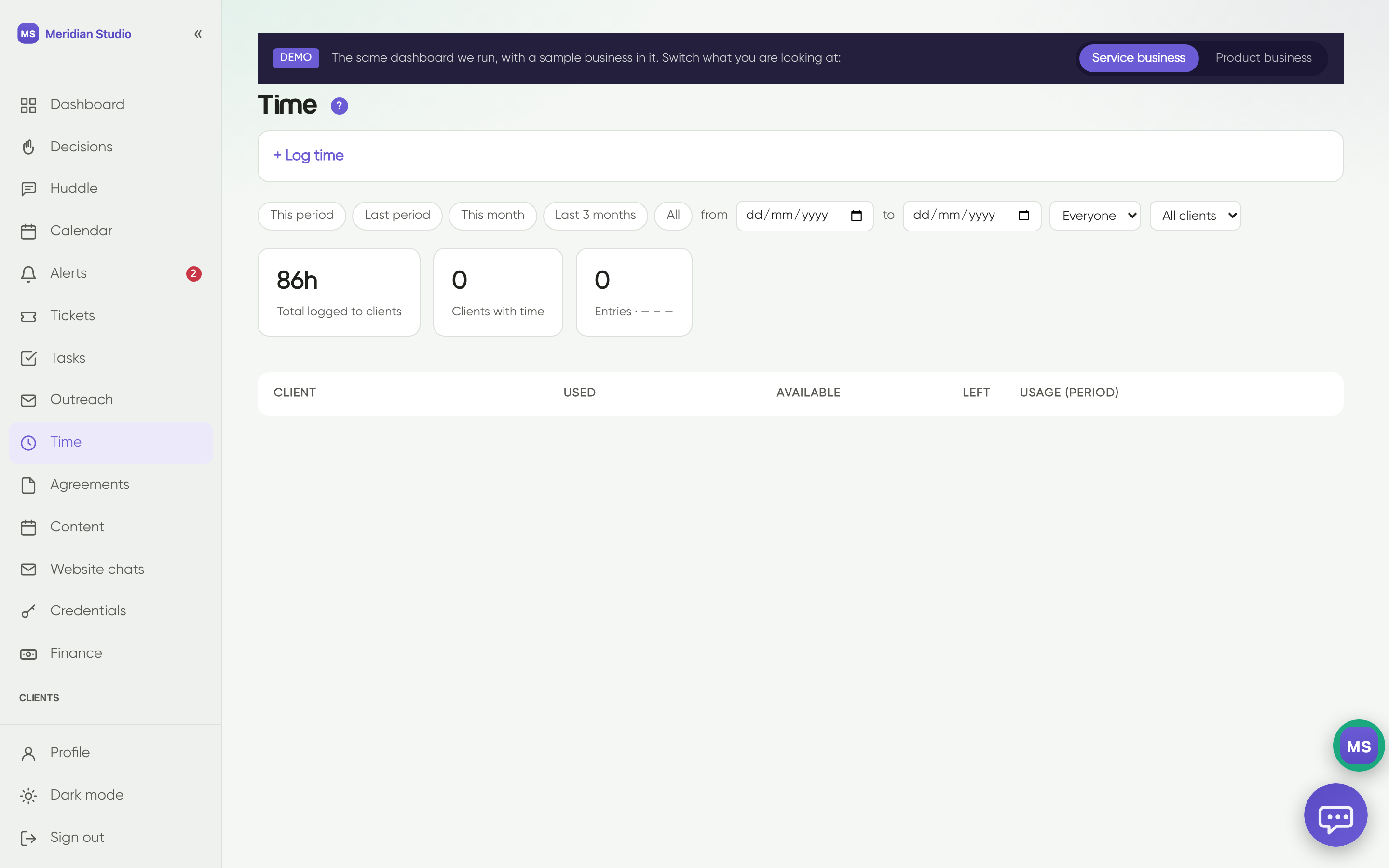
- Time is the one that tends to change behaviour. When a retainer is 16 hours a month, the difference between “we’re roughly on track” and “we are eleven hours in on the ninth” is a conversation you have now instead of an invoice argument in three weeks.
- Agreements holds proposals and signed scopes, so when somebody asks whether a piece of work is in scope, the answer is one click rather than an email search.
The product business
Northwind Supply is a trade supplier. Same dashboard, and most of the tabs above are still there — but the centre of gravity moves.
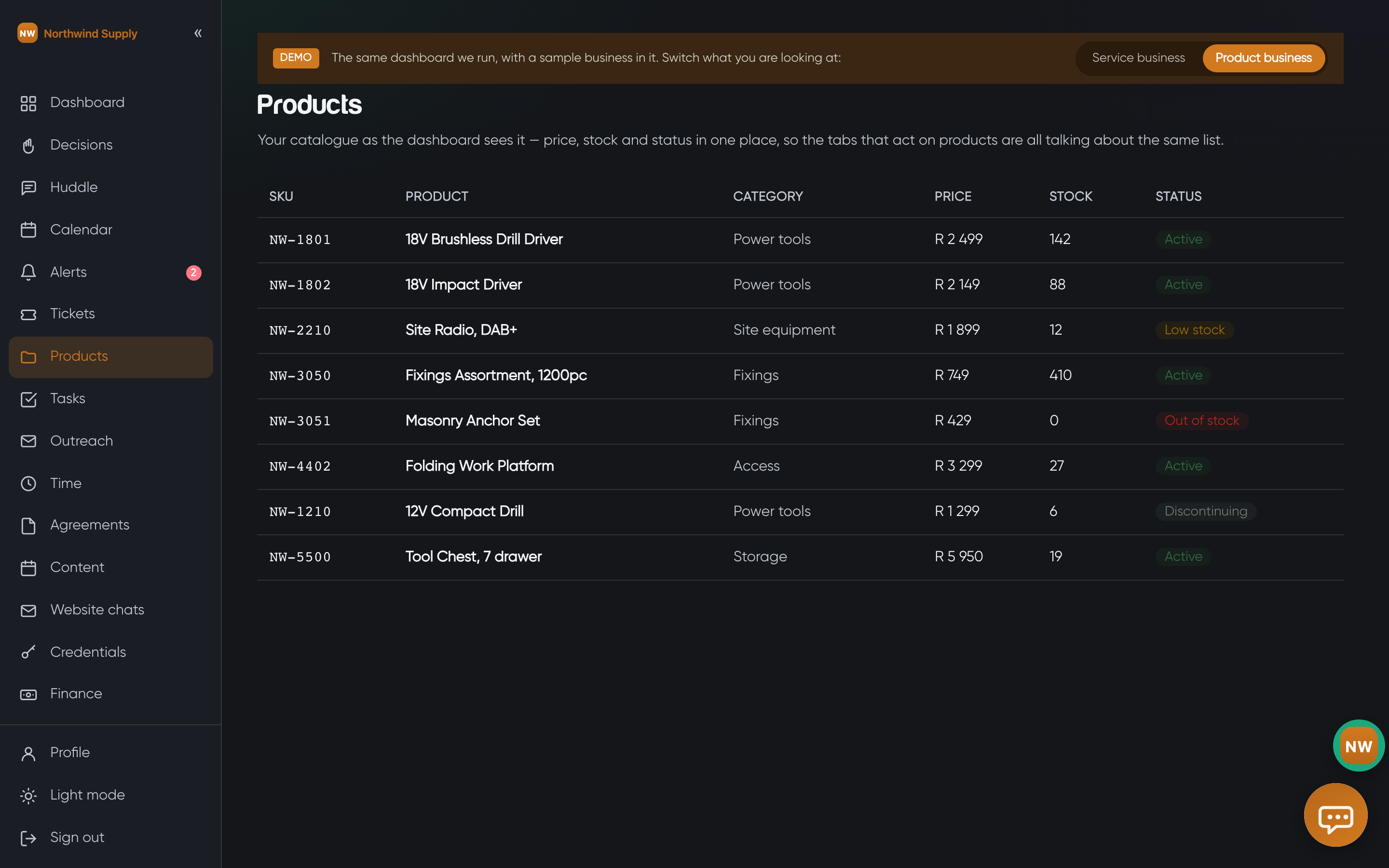
- Products is the catalogue as the dashboard sees it: SKU, price, stock, status. It matters because every other tab then talks about the same list. A campaign, a stock alert and a supplier task all mean the same “18V Impact Driver”.
- Content becomes a scheduling problem rather than a writing problem — a launch post, a seasonal offer, a reminder that the free-delivery threshold moved.
- Website chats is where product businesses usually get their surprise. It records what visitors actually asked the site: delivery areas, stock, trade accounts. That is a list of the things your product pages are not answering, written by your own customers.
The tabs both kinds of business end up using
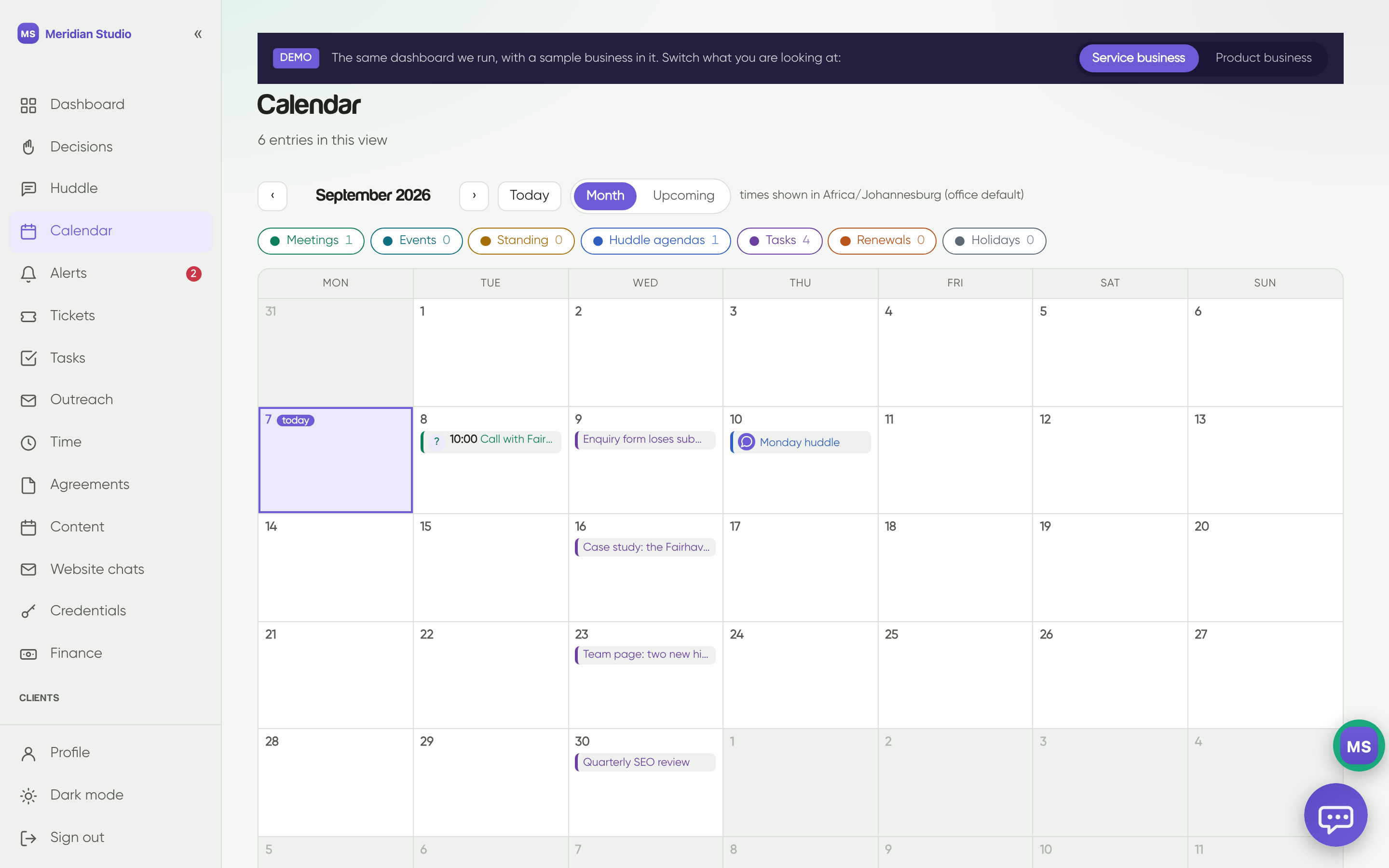
- Calendar — meetings, deadlines and the tasks that carry a due date, on one grid.
- Decisions — the questions waiting on a human, with the options laid out. Small feature, and the one that most reliably stops a project stalling for a week over an unanswered question.
- Huddle — the agenda for the next stand-up, built from what actually happened.
- Alerts — certificates about to expire, domains about to renew, invoices going quiet.
- Logins — every credential in one place, so nobody keeps a spreadsheet of passwords any more.
The important part: these are starting points
Everything above is a template. It is a good template — it is what a decade and a half of running an agency taught us to want on one screen — but it is not what you would end up with.
What we actually build is shaped around how your business runs. Some of it is obvious in the first conversation: a supplier needs stock, a practice needs utilisation, a charity needs funders and grant deadlines. Most of it is not. It turns up in month three, when somebody says “I keep having to check two places for this”, and a tab appears that answers it.
That is the difference between a dashboard and software you have bought. Ours keeps changing, because the business it is describing keeps changing. Tabs get added. Reports get rewritten when the question changes. Things nobody opens get removed — which is a feature, not an admission.
It is not a product you are buying a licence to. It is the operating picture of your business, and we maintain it the way we maintain your website.
And your clients can have one too
If you have clients of your own, they can sign in and see their own dashboard — their work, their content calendar, their retainer hours, their invoices, and nothing belonging to anyone else. Most of our clients use it as the thing that replaces the monthly “what’s happening?” email.
The two public demos show the agency side, because that is the side you would be working in every day. The client portal is set up per client when yours is built.
Go and have a look
Have a click around and imagine how efficient it would be to have everything in one place — and to replace the solutions you pay for every month with something uniquely yours.
Service business → Product business →
Everything in them is invented — the businesses, the people, the clients, the numbers. Click anything. Nothing you do in there reaches anybody, and nothing asks you for an email address.
If a tab is missing that you would need on day one, that is the most useful thing you could tell us.

Jeffrey de Visser is Nimbler’s Founder, Managing Director and Lead Strategist. Visit his LinkedIn profile to find out more.